![Quickorder-Dark-1.png]](https://support.quickorder.io/hs-fs/hubfs/Quickorder-Dark-1.png?height=40&name=Quickorder-Dark-1.png)
Users
- Go to pos.quickorder.io and log in
- Select Settings > Departments > Users > Create User
- Enter Name, Email, Password and Role
You log in with your email and password
There are two types of roles:- Admin: Admins can add and edit users and admins
- User: A user cannot edit other users than oneself. A user can only log in to the department(s) that an admin has given the user access to, and can therefore only see statistics for that or those department(s)
- Click Next
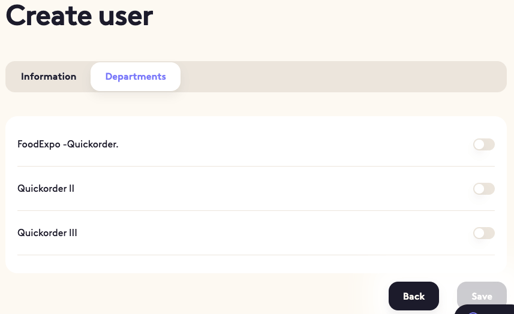
- Select which departments you want the user to have access to
- Click Save