![Quickorder-Dark-1.png]](https://support.quickorder.io/hs-fs/hubfs/Quickorder-Dark-1.png?height=40&name=Quickorder-Dark-1.png)
Set item type
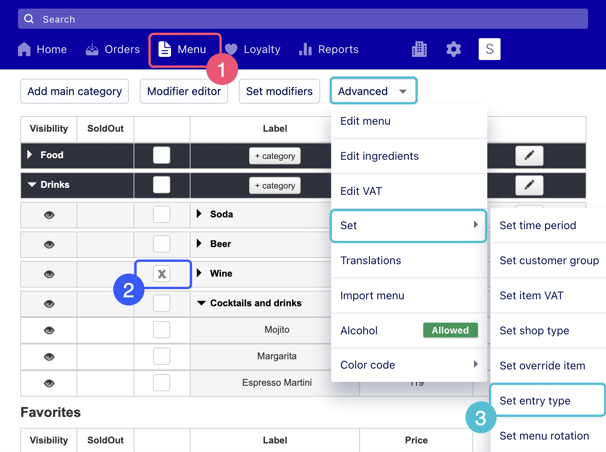
1. Go to Menu
2. Select the under category or categories you would like to change
3. Click on Advanced > Set > Set entry type
4. Set your entry types in the pop-up and save.
Edit VAT
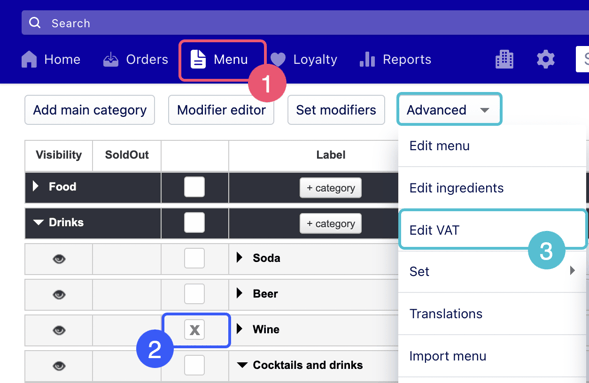
1. Go to Menu
2. Select the under category or categories you would like to change
3. Click on Advanced > Set VAT
4. Set the correct VAT in the pop-up